
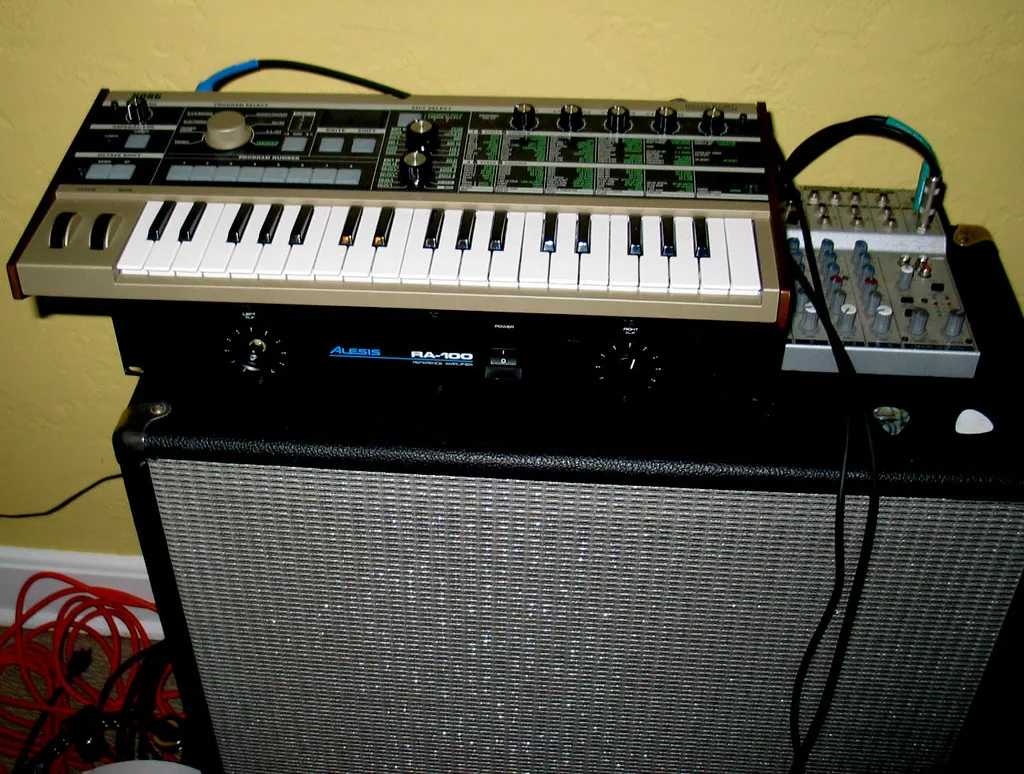
Do you play keyboard and want faithful sound without headphones? This guide will help you choose a system for home, rehearsals or a small stage.
Why move beyond built-in speakers: internal speakers can cause listening fatigue and lack the headroom to compete with drums or guitars. A dedicated keyboard amp, PA system or studio monitors offer line inputs, multiple channels and sometimes Bluetooth or USB.
We explain the useful specifications: power in watts (from 20 W to over 100 W, depending on use), RMS versus peak power, and SPL for estimating actual loudness.
What you’ll find: selection criteria (sound quality, inputs and outputs, equalizer, portability, price), advice on testing equipment with your own keyboard, and a 2025 comparison of five popular models.
Who needs an amp or speakers for a digital piano today, and why?
Adding a sound system meets practical needs that depend on how you play.
Who benefits: beginners who want to hear subtle differences, enthusiasts who play at home, and stage musicians who need more volume. Built-in speakers rarely hold their own against a loud band.
Moving from headphones to speakers can reduce listening fatigue. The stereo image becomes clearer, and the piano’s dynamics come through better. You can hear attacks and resonances more naturally.
At home, small nearfield monitors or a compact amp are often enough. For an audience, a ready-to-use PA system is usually the safest choice. You can expand your setup as your budget allows.
In rehearsals, a dedicated keyboard amp helps you compete with drums and guitars without distorting. A simple setup can also play backing tracks and amplify vocals through microphone and auxiliary inputs.
Practical tip: define what you need before buying. This helps you avoid overspending and choose equipment that reproduces your keyboard faithfully, without unnecessary coloration.
Technical basics to know before you buy
Understanding signal levels and sound reproduction makes choosing easier.
There are three signal levels:
Signal levels and matching inputs
Line level is used by most keyboards, monitors and PA systems. A mic input expects a weaker signal and uses a preamp. Instrument level (guitar) is not the same as line level.
Connect your keyboard to a line input to avoid low volume and noise. An incorrect connection can damage the amplifier.
Stereo or mono, outputs and phase
If you use just one speaker, use your keyboard’s L/Mono output. Combining the L and R signals into mono without care can cause phase problems.
Stereo provides left-to-right separation for note ranges and effects, although placing two speakers close together reduces that effect.
Watts, peak or RMS power, and SPL
Peak watts describe a momentary maximum; RMS power reflects usable continuous output. Always compare RMS figures with other RMS figures. Perceived sound level is measured in dB SPL.
Speakers, frequencies and bi-amplification
A two-way system pairs a woofer (roughly 50 to 800 Hz) with a tweeter (roughly 1 to 20 kHz). Bi-amplified models can reproduce a keyboard’s frequency range more faithfully.
| Item | Recommendation | Why |
|---|---|---|
| Level | Line input | Best match for a keyboard |
| Output | L/Mono for a single speaker | Helps avoid phase cancellation |
| Power | Compare RMS and SPL figures | Watts alone do not guarantee loudness |
Keyboard amp, PA system or studio monitors: which should you choose?
Each option serves a different purpose. A keyboard amp is the simplest solution. Ready to plug in, it offers several inputs (sometimes XLR) and basic equalization. It works well at home and in small venues.
Keyboard amp: simple and versatile
Key features: quick setup, 2 to 4 channels, equalization and sometimes reverb. Choose a dedicated keyboard model over a guitar amp, which colors the instrument’s sound.
Active or passive PA: for the stage and audience
Active PA systems include amplification and often mixing, making them convenient for sending several sources to an audience. Passive PA systems paired with a mixer offer room to expand as your power needs grow.
Studio monitors: faithful sound for studio work
Nearfield monitors prioritize sound quality and stereo imaging. A tweeter helps them reproduce high frequencies, making them suitable for a home studio and recording.
- Choose according to mobility, power and available space.
- Look for neutral reproduction that preserves your keyboard’s dynamics.
- Built-in mixing is useful for simple setups and rehearsals.
Keyboard amp or guitar amp: why aren’t they interchangeable?
A guitar combo and a keyboard amp are designed for different sounds. Guitar amps deliberately color the sound with harmonics and controlled distortion.
A keyboard amp, by contrast, aims for a neutral response and wide bandwidth. It preserves sound quality and reproduces both the high and low frequencies of keyboards and synthesizers.
The speakers in a guitar combo are not optimized for deep bass. A virtual Rhodes or stereo piano can therefore distort early or sound muffled.
Signal levels matter too. An instrument-level signal connected to an unsuitable line input produces low volume and hiss. The reverse can cause clipping and place additional strain on the electronics.
In a pinch, a guitar combo may sometimes do. For regular use, choose equipment designed for keyboards: a dedicated amplifier or a pair of monitors.

Always check the inputs (line or instrument) before connecting your equipment. This helps prevent components from overheating, extends the system’s life and preserves your keyboard’s sound.
Use cases: home, rehearsals, studio and stage
The setting—apartment, rehearsal room, studio or small venue—guides your choice. Consider the actual volume you need and how often you will move the equipment. Testing your setup at the intended listening level helps avoid surprises.
At home
At home, a small system of around 20 to 30 W is often enough. Systems rated above 100 W are usually excessive for home use.
Look for a headphone output and an easy-to-use solution so you can practise at any hour. Connect the keyboard to a line input for a clean signal.
Rehearsals and small venues
In rehearsals or small venues, power needs increase: aim for 50 to 100 W, depending on the drums and guitars. Small mixers with 1 to 4 channels let you create a simple mix of vocals, keyboard and backing tracks.
Think about sound projection and coverage at the audience’s distance. A DI output to the PA is a useful backup.
Studio
In the studio, aim for a clean signal: line level and minimal equalization. Nearfield monitors provide a precise stereo image.
Your keyboard needs neutral reproduction for mixing. Testing at your working volume helps you adjust room acoustics and speaker placement.
“Always test your setup at the volume you will actually use.”
| Setting | Suggested power | Key considerations |
|---|---|---|
| Home | 20 to 30 W | Headphone output, compact size, ease of use |
| Rehearsals and small venues | 50 to 100 W | Projection, 1 to 4 mixing channels, easy transport |
| Studio | Monitors (line level) | Clean signal, minimal equalization, stereo image |
Essential criteria for choosing an amplifier or speakers
Start by listening: first clarify your sound priorities.
Quality and frequency response — Listen separately to the bass, mids and highs. Look for a response without pronounced peaks or dips. Two-way systems (woofer and tweeter) often deliver better quality when reproducing a keyboard’s harmonics.
Power and watts — Give RMS figures more weight than peak ratings. Estimate the power needed for home, rehearsal or a small venue. Remember to consider SPL and speaker efficiency.
Essential connections — Check for line inputs, an auxiliary input, XLR and jack connections, a DI output and a headphone output for quiet playing. Bluetooth or USB can help if you use backing tracks.
Equalizer and effects — A simple 2- or 3-band equalizer helps compensate for room acoustics. Built-in reverb or delay can be useful, but neither replaces good acoustic setup.
Portability and price — Consider weight, handles and durability. Tilt-back designs make stage monitoring easier. For price, look for a range that balances power, connections and longevity.
“Test several models with your own keyboard to hear how they perform in practice.”
| Criterion | What to check | Why |
|---|---|---|
| Frequency response | Two-way design, even response | Faithful sound from bass to treble |
| Power | RMS watts and SPL | Actual loudness and headroom |
| Connections | Line, XLR, jack, DI, headphone output | Compatibility and flexibility |
| Portability | Weight, handle, format | Transport and touring use |
| Price and range | Entry-level, mid-range and high-end options | Best value for your needs |
Amplifiers and Speakers for Digital Piano: A Guide
Choosing the right setup starts with understanding what each option does.
First define your use: practising at home, rehearsing with a drummer, working in a studio or playing a small stage.
Three main categories are compact keyboard amps, PA systems for projecting sound and studio monitors for faithful reproduction.
The result depends on how well your instrument matches the chosen system. True stereo reproduction requires proper use of your keyboard’s L and R outputs, or its L/Mono output.
Also consider useful features: DI, Sub Out, Bluetooth or a headphone output, depending on the setting.
Always test in realistic conditions and at the intended volume. Sound quality must be judged in use, not just from specifications.
Durability and ease of use matter over time: weight, protective features and connections are as important as power.
To turn your needs into concrete specifications, read this practical guide to choosing a keyboard amp. It will prepare you for the 2025 comparison.
“Test the equipment with your instrument at its intended volume to assess the real sound.”
Our selection of keyboard amplifiers tested for 2025
Below are options for different needs, from portable use to performances for a small audience. Each model is presented with its power, inputs and practical advantages.
Coolmusic DM100
Power: 100 watts RMS, suitable for rehearsals and a small audience.
Connections: 2 XLR/jack combo inputs, Bluetooth connectivity and USB for backing tracks.
Advantages: versatility, sturdy construction (around 14 kg) and practical stage features.
Roland KC-80
Power: 50 watts, with a clear, dynamic sound.
Three channels for mixing keyboard and microphone, plus a Sub Out for adding a subwoofer.
A good choice if you want excellent midrange and treble clarity on stage.
Fender Champion II
Power: 25 watts in a compact format for home use.
An auxiliary input for a smartphone and a headphone output for practising without disturbing others.
Note: it is designed primarily for guitar, though it can be useful at home.
Gear4music VISIONAMP
Power: 50 watts, Bluetooth 5.0 and a 2-band equalizer.
Lightweight (around 7.1 kg) and affordably priced; a useful balance of features and performance for your first trials.
Coolmusic DM20
Power: 20 watts in an ultracompact, portable format (around 5 kg).
Well suited to beginners and low-volume rehearsals.
| Model | Watts | Inputs and outputs | Suggested use |
|---|---|---|---|
| Coolmusic DM100 | 100 W | 2 combo inputs, Bluetooth, USB | Rehearsals and small stages |
| Roland KC-80 | 50 W | 3 channels, Sub Out, combo input | Stage use, mixing microphone and keyboard |
| Fender Champion II | 25 W | Auxiliary input, headphone output | Home and quiet practice |
| Gear4music VISIONAMP | 50 W | Bluetooth 5.0, 2-band equalizer | Small budgets and versatile use |
| Coolmusic DM20 | 20 W | Bluetooth | Portable use and beginners |
“Test each model with the same keyboard to judge midrange clarity and speaker performance.”
In practice, compare power in watts and the usability of the inputs and outputs (DI, Sub Out, auxiliary input, headphone output). These features shape everyday use and value for money.
Quick comparison: power, connections and intended use
This summary compares usable power and the connection options worth prioritizing.
Power — For playing at home, 20 to 25 watts are enough for a solo keyboard at a comfortable listening level.
For rehearsals and small venues, aim for 50 to 100 watts so you can be heard alongside drums and guitars. Power directly affects how sound projects towards the audience.
Connectivity and outputs
Bluetooth makes it easy to play backing tracks. On stage, however, a wired auxiliary input is more reliable.
DI and Sub outputs are useful: the first sends a clean signal to the PA, while the second lets you add a subwoofer if needed.
Inputs and ease of use
Look for XLR/jack combo inputs and multiple channels. These can reduce the need for an external mixer and simplify setup.
| Use | Power (watts) | Price guide |
|---|---|---|
| Home | 20 to 25 W | About €60 to €150 |
| Rehearsals and small venues | 50 to 100 W | About €150 to €450 |
| Stage with an audience | 100 W or more | About €300 and up |
Tip: look beyond watts: check speaker efficiency and the reliability of wired connections to reduce problems during a performance.
PA systems for keyboards: when is a PA the better choice?
When a room calls for more projection, a PA is often the most reliable solution. A PA system combines mixing, amplification and speakers to reach an audience and provide even coverage.

Ready-to-use active PAs or expandable passive systems
Active: quick to set up, with built-in amplification and sometimes a mixer. They suit anyone who wants a simple, dependable setup.
Passive: these need a separate amplifier but offer more flexibility. They suit plans to add speakers or a subwoofer as power needs grow.
Mixers: channels, mic and line inputs, and mixing options
The mixer sets the balance between vocals, keyboards and other instruments. Choose the channel count to match your sources: from 4 channels for a duo to 24 or more for a full band.
Check the mic and line inputs, DI connections and output to the PA. Compact units often provide 1 to 4 channels for quick setups.
| Need | Solution | Why |
|---|---|---|
| Small duo | Compact 100 to 200 W active PA, 2 to 4 mixing channels | Quick setup, enough for a small audience |
| Band and stage | Passive PA with amplifier, 8 to 24 mixing channels | Expandable setup with more inputs and power |
| Rehearsals and monitoring | Stage monitors and DI | Mix control matched to the main system’s power |
Practical advice: send the keyboard signal through a DI to reduce noise. Set gains and equalization before the audience arrives. Use quality cables and a stable power supply to avoid interruptions.
“Check the sound balance on stage before the audience arrives to improve coverage.”
Studio monitors and powered speakers: faithful sound for keyboards
For faithful studio sound, a pair of nearfield monitors is hard to beat.
Monitors provide a precise stereo image. They reveal flaws in a mix and help you adjust the keyboard sound while recording.
Favor two-way speakers: a woofer and tweeter together provide a more even response and better quality across the spectrum.
Nearfield monitors: precision and stereo imaging
They fit easily into a setup with an audio interface or computer. Listening at a short distance reduces the room’s influence and improves clarity.
Powered bookshelf speakers: an economical home option
At home, a powered pair can offer excellent value. These speakers are enough for playing and light studio work, provided you check their inputs (RCA, TRS, XLR).
Limitations: some hi-fi speakers lack the dynamics needed for live playing. Bluetooth adds latency; use a wired connection on stage.
| Solution | Suggested use | Strength |
|---|---|---|
| Nearfield monitors | Studio and recording | Precision, stereo imaging |
| Powered bookshelf speakers | Home and practice | Moderate price, easy integration |
| General-purpose hi-fi speakers | Home listening | Pleasant sound, but less neutral reproduction |
For a detailed buying guide, see this page on studio monitoring.
Connections and wiring: how to connect your keyboard properly
Start by identifying your keyboard’s outputs.
L/Mono and R outputs, and DI connection to a PA
Most keyboards offer two outputs: L and R. If you use only one speaker, connect L/Mono to a line input to avoid losing part of the signal.
For a mixing console, use a DI to provide a balanced signal. This reduces unwanted noise and makes it easier to connect to the PA.
- Mono connection: L/Mono to a line input.
- Stereo connection: L and R to two separate inputs, with correct polarity and panning.
- Avoid combining stereo signals into mono without checking phase: cancellation may result.
Cable types and precautions
Choose a TS or TRS cable to suit the output, and an XLR cable for balanced connections. Do not connect a line-level signal to a mic input without the appropriate setting: you could overload the preamp or end up with a weak signal.
Poorly chosen adapters can cause hum; bring the right accessories. Always test gain and check for noise before a performance.
Bluetooth: benefits and limits
Bluetooth is convenient for playing backing tracks from a smartphone. Be aware of latency, dropouts and compatibility problems between devices.
For live performances, choose a wired connection. It is more reliable on stage because it reduces interruptions and keeps the signal steady.

For step-by-step instructions on connecting a piano to an amp or PA, read this illustrated guide to connecting a keyboard to an amp.
Stereo on stage: when you may need two speakers
Stereo sound changes how listeners experience a modern keyboard. With two spaced speakers, effects such as ping-pong delay and the placement of note ranges to the left and right become audible.
One speaker with stereo processing remains limited: the image often collapses toward the center, and spatial detail disappears on stage. In a concert setup, spacing the speakers gives the sound greater width and air.
The stereo effect varies with the audience’s position. Listeners in the center hear it most clearly; those at the sides may hear less of it. If the front-of-house setup uses one speaker or sums to mono, switching to mono at the source helps prevent phase problems and keeps volume consistent for the whole audience.
Two simple setups work well:
- Two L and R speakers to preserve the keyboard’s natural stereo image.
- A keyboard amp on stage plus a stereo feed to the PA, covering the room while retaining a local monitor.
Always observe polarity and check left-to-right wiring. Adapt your programmed sounds too: some stereo patches lose their character in mono, so prepare convincing mono versions. Finally, test the setup in the room before the performance to assess the real stereo image.
Common mistakes to avoid with a keyboard amp
Mismatched signal levels can spoil the sound before you even play.

Connecting an instrument-level signal to an unsuitable line input
Connecting a guitar or another instrument-level source to an amplifier’s line input can produce a weak signal, hiss and sometimes uneven distortion.
Some inputs require a preamp: if the mic/line switch is set incorrectly, sound quality suffers.
Confusing peak watts with RMS when comparing models
Peak ratings indicate a momentary maximum. RMS watts describe usable continuous power.
Comparing amplifiers by mixing peak and RMS figures leads to a misleading view of loudness and headroom. Ask for RMS specifications to assess actual capacity.
- Do not send an instrument-level signal directly without a DI or preamp: it reduces volume and clarity.
- Use stereo and mono outputs correctly: careless summing can cause phase problems.
- Avoid low-quality adapters that cause hum and intermittent connections.
- Watch the gain: excessive levels can damage the input stage and degrade the sound.
Check your signal chain before every performance. Knowing your inputs, outputs and watt ratings protects your equipment and delivers clean sound from your keyboard.
Budget and price ranges: finding the best value
Finding good value starts with setting a budget and deciding what sound you expect.
These ranges offer a useful guide by use.
- Entry level (about €60 to €150): the DM20 and other compact options for playing at home.
- Mid-range (about €150 to €350): the VISIONAMP, balancing features and sound.
- Stage (about €350 and up): the KC-80 and sturdier models for rehearsals and small gigs.
To judge value, examine build quality, reliability and connections rather than watts alone.
Useful features include Bluetooth, an equalizer and Sub Out. They offer benefits when they meet a real need.
Set aside part of your budget for good cables and accessories. They protect the equipment and improve the audio chain.
| Range | Approximate price | Suitable for |
|---|---|---|
| Entry level | €60 to €150 | Home practice |
| Mid-range | €150 to €350 | Rehearsals, amateur studio |
| Stage | €350 and up | Small venues, long-term use |
Final tip: always test the sound with your keyboard before buying. Consider resale value and choose equipment that can support your musical progress.
Care and durability: protecting speakers and electronics
Simple maintenance can significantly extend the life of speakers and electronics. A few regular habits help limit dust and heat.
Dust, ventilation, magnets and storage
Clean with a dry, lint-free cloth. Avoid sprays and moisture, which can damage speaker cones.
Never block ventilation openings. Keep equipment away from direct sunlight and strong magnets.
Store equipment securely in a dry place. A suitable case and padding protect speakers during transport.
Cables, adapters and regular checks
Check outputs and inputs before each session. Replace damaged cables and adapters to prevent intermittent connections.
- Label cords and organize the wiring.
- Use surge-protected power strips.
- Inspect grilles and speaker surrounds for damage.
Practical tip: using equipment within its limits—at a reasonable volume and without clipping—helps preserve the speaker. If in doubt, consult a qualified technician and follow the manufacturer’s warranty terms.
Conclusion
Ultimately, how you actually play should guide your choice.
An amp is a simple solution at home or in small venues. A PA system provides the flexibility needed on stage. Monitors offer the precision useful in a studio.
Always compare RMS and SPL figures, use the L/Mono output when playing in mono, and check signal levels before you play.
Prioritize sound quality and compatibility with your keyboard. Test equipment in a store at your intended volume to judge its musical performance.
Recent advances have made capable systems more accessible. Choose based on what you hear, the equipment’s reliability and its versatility. Good equipment brings out the music and supports your progress. Use the 2025 selection as a starting point.