
Goal: this guide helps you choose an 88-key keyboard suited to computer-based music production in 2025. We focus on the workflow between the instrument and the DAW, with particular attention to key feel, connections and latency.
Methodology: a panel of eight pianists assessed key feel, USB-MIDI connectivity, polyphony and ASIO compatibility, then tested the instruments in practice.
French market context: current entry-level prices range from €400 to €550. Recent tests singled out the Roland FP-10 (€399) and Yamaha P-145 (around €413) for their excellent value.
For pop and electronic music, the NUX NPK-20 (€549) stands out for its 271 sounds and large display. We will also cover the difference between USB audio and an audio interface, drivers and latency management.
In this guide: instrument types, keys, sounds, connections, accessories, recommended models and a pre-purchase checklist. To explore other options, see our model guide.
Defining your goal: composing on a PC with a digital piano in 2025
The first rule: decide whether the instrument will mainly serve as a controller, a sound source or both. This decision narrows your options to one or two models suited to your studio and mobility needs.
Common profiles: a beginner writing songs, a pop or electronic producer seeking expressiveness and reliability, or a classical pianist who wants a feel close to an acoustic piano. Each calls for a different format: portable, console or stage.
The production chain should remain simple and reliable. Ideally: instrument → USB-MIDI or audio → DAW → sound libraries and effects → export. A stable connection and reliable drivers help keep everyday latency low.
What to expect: a weighted action gives you better control over dynamics, good PC integration reduces delay, and convincing sounds let you produce playable demos straight away.
Finally, prioritize the balance between efficiency and time invested. Fewer technical problems with cables, drivers and power mean more time to play and create.
“A good choice today protects tomorrow’s motivation.”
Digital piano for composing on a PC: the essentials
Your choice of equipment determines how smoothly you can move from playing to recording. Here are the main criteria and basic equipment for a simple, reliable workflow.
Top priorities
Key feel: choose a hammer action. It reproduces playing nuances more faithfully and supports learning.
Connections: a native USB-MIDI connection and a mini-jack headphone output are essential. Bluetooth adds flexibility for apps, but avoid it for real-time recording.
Polyphony: 64 voices are enough for simple takes. Between 96 and 128 voices help when you use the sustain pedal and layer several sounds.
Latency: aim for less than 10 ms when recording by using suitable drivers and a properly configured buffer size.
Basic equipment
- an 88-key keyboard with hammer action (the FP-10 and P-145 meet this standard)
- a reliable sustain pedal
- comfortable closed-back headphones
- a stable X-style or furniture-style stand for proper posture
| Item | Guideline | Benefit |
|---|---|---|
| Key feel | Hammer action | Better dynamics and expression |
| Connections | USB-MIDI, headphones, Bluetooth | DAW compatibility and mobility |
| Polyphony | 64 or 96 to 128 voices | Handles sustain and layers |
| Models | FP-10, P-145, NPK-20 | A balance of price, sounds and creative options |
“A well-matched setup turns a riff into a structured project.”
Choosing the right type of digital piano for music production
The format you choose directly affects playing comfort and how you organize your studio.
Portable, console or stage: which format suits your PC studio?
Portable: light and affordable. Ideal for a home studio if you move your instrument often.
Console: larger, stable and often supplied with a three-pedal unit. This format suits a permanent setup and regular practice.
Stage: designed without built-in speakers. Optimized for external amplification and monitoring in a venue or on stage.
Uses for different players
Beginners prioritize simplicity and price. A portable model is often enough for writing and learning.
Pop and electronic producers look for versatile connections, a range of sounds and mobility. Choose a keyboard with plenty of outputs and controls.
Classical pianists need a convincing weighted action. Console and hybrid models offer the closest feel to an acoustic instrument.
- Hybrid and silent models: expensive, but they retain an acoustic feel while allowing headphone practice.
- Consider the size of the room, ergonomics and the space needed for a dedicated stand.
| Format | Strength | Recommended use |
|---|---|---|
| Portable | Lightweight, affordable | Home studio, travel |
| Console | Stability, three pedals | Permanent setup, extended practice |
| Stage | Optimized for sound systems | Stage, external monitoring |
| Hybrid | Acoustic feel, silent playing option | Discerning musicians who want to use headphones |
“The right format reduces technical difficulties. It preserves your creative time.”
The keyboard and keys: the foundation of playing feel
A keyboard’s action often determines how much expression a musician can bring to a performance.
88 keys remain the standard. They cover the full classical and modern repertoire. This range helps develop habits you can transfer to an acoustic instrument.
Hammer action reproduces the resistance and return of an acoustic mechanism. It improves dynamic control, the precision of each attack and the repetition of fast notes.
An important difference: weighted keys help you develop solid control. Semi-weighted keys may be enough at first, but they limit subtlety in the long run.
Surfaces that imitate ivory and ebony improve grip and help prevent fatigue during long sessions.
Fast repetition and simulated escapement make trills and rapid passages easier. In MIDI, these mechanisms affect expressiveness and the quality of recorded notes.
| Criterion | Effect | Recommendation |
|---|---|---|
| Number of keys | Full repertoire, transferable habits | 88 keys |
| Action | Dynamics, repetition | Hammer action |
| Key feel | Control or ease of playing | Weighted for progress, semi-weighted for beginners |
| Key surface | Grip, comfort | Synthetic ivory and ebony |
Sounds, polyphony and effects: what really matters for composing
Sounds and voice management often determine whether a track sounds professional. Polyphony directly affects how long notes can ring with the sustain pedal and how many layers you can combine in an arrangement.
Polyphony: aim for at least 64 voices. The Yamaha P-145 offers 64 notes from the CFIIIS; the Roland FP-10 offers up to 96. More voices prevent notes from cutting off when you use the pedal or layer strings and pads.
Sampling or modeling: sampling captures the sound of a real concert grand piano. Modeling simulates the instrument’s physics to provide more dynamic range and variation. Choose according to whether realism or expressiveness matters more to you.
Key effects: reverb creates a sense of space, chorus adds breadth and delay brings movement. Use them sparingly to keep the sound convincing in the mix.
- Try “studio” or “dry” presets to help your track sit better in the song.
- Explore electric piano and pad sound libraries to enrich the harmony.
PC connections and workflow: USB, MIDI, Bluetooth and drivers
Good cabling makes a real difference: to stability, latency and playing comfort.
Essential connections: connect your digital piano directly to the computer via USB-MIDI to control a DAW and use VST virtual instruments. If your model produces its own audio, connect its headphone or jack output to an audio interface to record that sound at high quality.
On Windows, choose an interface with ASIO drivers to reduce latency. On macOS, Core Audio handles this natively and already provides excellent stability.
Set the DAW buffer size between 64 and 128 samples and the sample rate to 44.1 or 48 kHz. This balance limits latency while avoiding dropouts when recording and layering several sounds.
Bluetooth, available on models such as the FP-10, remains useful for apps and updates. However, avoid it for demanding MIDI takes: its latency is generally too high for real-time playing.
Finally, use closed-back headphones while recording to prevent sound bleed. This improves track quality and makes it easier to work with a click track, an important point to consider before buying.
Essential accessories: pedals, headphones, stands and protection
Choosing the right accessories immediately improves playing comfort and recording quality. In an urban setting, a headphone output quickly becomes essential for working without disturbing others.
Sustain pedal: single pedal or pedal unit
Single: a switch-style pedal is enough to get started. It turns sustain on or off.
Continuous: a pedal that supports half-pedaling gives you precise control over how long notes ring. It is ideal for nuanced performances.
Console models from Yamaha, Roland and Kawai often include a three-pedal unit. It provides the traditional functions: sustain, sostenuto and soft pedal.
Closed-back or semi-open headphones
Closed-back headphones: maximum isolation, ideal for recording in an apartment.
Semi-open headphones: more ventilation and comfort for long mixing sessions, but less isolation.
Stands, furniture and protection
X-style stands offer mobility and save space. Dedicated furniture-style stands provide greater stability, better posture and the option of adding a pedal unit.
Consider a reinforced case and tidy cable management to keep your workspace clean and safe. These precautions preserve the quality of your instruments and make practice easier.
| Accessory | Benefit | Advice |
|---|---|---|
| Single pedal | Affordable | Suitable for beginners |
| Continuous pedal | Expressive control | Preferable for advanced playing |
| Closed-back headphones | Isolation | Recording in an urban setting |
Budget and value: how much should you spend in France?
Setting a clear budget helps prevent disappointment when buying and makes it easier to choose a suitable model.
- €400 to €600: entry-level models with decent 88-key actions (for example, the FP-10 at €399 and the P-145 at around €413).
- €600 to €1,000: advanced features and better polyphony.
- > €1,000: console models and premium playing feel, with more powerful sound.
A keyboard costing around €400 to €550 covers most needs when starting out in a studio. At €549, the NUX NPK-20 illustrates the upper end of that range, offering more sounds and a display.
Compare the real costs: a new acoustic piano costs around €3,500 (about €1,500 used) and needs annual tuning (€80 to €100) as well as mechanical maintenance.
The main financial advantage of an electronic instrument is that it needs no tuning and is simple to set up. Reserve part of your budget for accessories too: a pedal, headphones and a stand immediately improve recording quality and comfort.
“In the long run, the best value does not always come from the most expensive model, but from the one that best suits your needs.”
Leading brands and what sets them apart
In a crowded market, understanding manufacturers’ strengths helps guide your purchase.
Yamaha, Roland, Casio: reliable choices
Yamaha offers a broad range, from portable P-series models to Arius and Clavinova console pianos. The brand emphasizes realistic concert-piano sounds and consistent quality.
Roland has been associated with electronic innovation since 1972. Its keyboards offer carefully designed actions and modern connections, including Bluetooth on some models.
Casio offers compact, affordable options such as the CDP-S110. This is a suitable choice when money and space are limited.
Korg, Kawai and emerging brands
Korg and Kawai offer strong alternatives. The former emphasizes distinctive sounds, while the latter offers particular keyboard actions. Your choice will depend on your preferences for feel and tone.
Emerging brands such as Alesis and some retailers such as Thomann offer a good balance of price and features. Check reliability and the feel of the action before buying.
| Brand | Strength | When to choose it |
|---|---|---|
| Yamaha | Concert-piano sounds, broad range | Versatility and long-term use |
| Roland | Innovation, modern key feel | Connections and expressiveness |
| Casio, Korg, Kawai | Compact size, sounds, actions | Budget or a preference for a particular feel or sound |
“Every brand has a sound of its own; try it before making your choice.”
Our tried-and-tested picks for beginners and composers: Roland FP-10 and Yamaha P-145
Our independent test highlighted two reliable models that are easy to integrate into a home studio. Both strike an excellent balance between key feel, connectivity and price.
Roland FP-10: best value
Price: €399.
This model combines a responsive hammer action with 96-voice polyphony. It handles layered sounds and sustain well, without notes cutting out.
Modern connections: Bluetooth, USB and mini-jack. The Piano Partner 2 app makes settings and learning easier.
Yamaha P-145: key feel and sound
Price: around €413.
The GHC action feels close to an acoustic piano. Its sounds come from the CFIIIS, known for its accurate pitch and tone.
For DAW integration, both models offer a simple, reliable USB-MIDI connection. Setup is straightforward, so you can start recording immediately.
- FP-10: ideal if you want mobility, more connection options and enough polyphony for layering.
- P-145: recommended if key feel and concert-piano sound are your priorities.
“A tie in our panel of eight pianists: a reassuring sign of quality when buying.”
For pop, electronic music and sound exploration: NUX NPK-20
If you want an enjoyable instrument for creating electro-pop demos, the NPK-20 is worth trying. This €549 model emphasizes its sound library and fast creation over classical practice.
Its 271 built-in sounds and equalizer let you shape textures and create moods without opening your software.
The large display makes it easy to use: browse sounds, layer them and adjust an effect or EQ in seconds. It can save considerable time when arranging.
The ivory- and ebony-style key surfaces improve grip during long sessions. The brand has been present in France for about 20 years, which offers some reassurance about after-sales service.
Who it suits
This model is particularly well suited to pop and electronic producers, beatmakers and content creators who want an all-in-one instrument. It is less suitable for a demanding classical course that requires greater expressiveness.
“An inspiring instrument helps turn an idea into a song faster.”
Strong alternatives for music production: FP-30X, CDP-S110, YDP-145
These three models stand out for their key feel, compact size or console format.
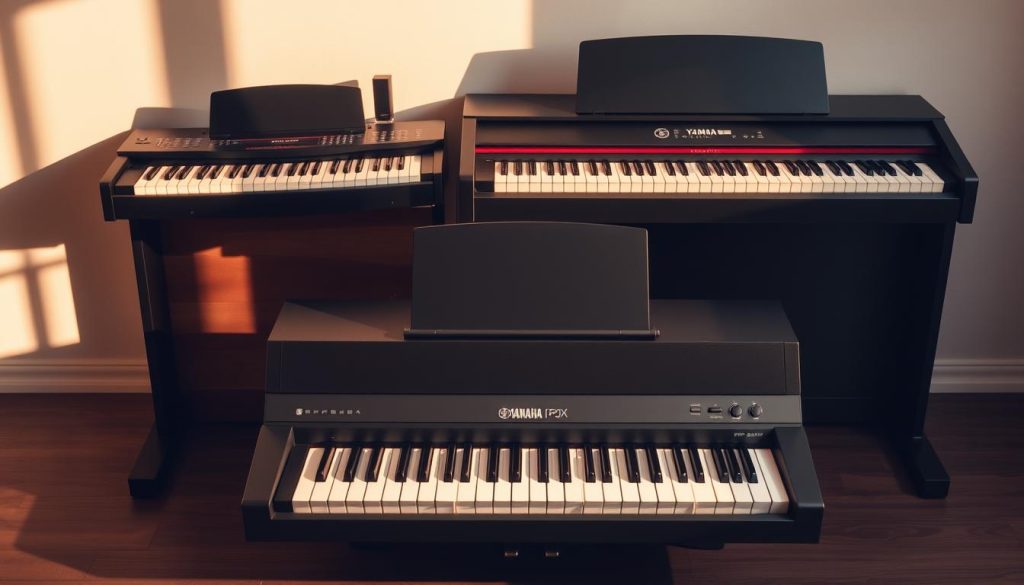
Roland FP-30X
A step up: 88 keys and a highly realistic feel. Bluetooth makes wireless control easier. Its sound is powerful and immersive.
The included pedal lets you start playing straight away. This model is ideal if you want more expressiveness while retaining mobility.
Casio CDP-S110
Compact and affordable: 88 keys in a lightweight format. Pedal included, at a very accessible price.
It is a good starting point for beginners who want simple, reliable equipment that is easy to move.
Yamaha Arius YDP-145
Permanent setup: elegant console, three-pedal unit and 192-voice polyphony. It is designed to last and provide stable playing comfort.
It suits musicians who also want an attractive piece of furniture in a living room or studio corner.
- Practical tip: choose according to the available space, your budget and your preferred key feel.
- Remember headphones so you can work late without disturbing others.
“These alternatives cover a wide range of needs, from a tight budget to a premium setup.”
Digital or acoustic piano: what do you gain and lose when composing?
You cannot easily reproduce the sensation of a vibrating soundboard: it comes from wood and strings. An acoustic piano offers rich harmonics and deep resonance. Its action responds naturally to the nuances of your playing.
That authenticity remains difficult to reproduce fully. The action and harmonics of a stringed instrument add subtle variations in feel and tone, particularly valued in advanced classical playing.
In practical terms, electronic models have several advantages. Adjustable volume and a headphone jack let you work without disturbing others. A direct PC connection makes recording, MIDI editing and access to sound libraries easier.
Portability and the absence of mechanical maintenance reduce costs and constraints. For an apartment home studio, these advantages are often decisive.
Complementary strengths
In conclusion: the acoustic piano remains the reference for sound quality and feel. Digital instruments, meanwhile, offer immediate efficiency for everyday production and composition.
“The best choice combines acoustic authenticity with electronic flexibility.”
What independent tests say
The tests took place in a suitable auditorium to isolate each instrument and ensure neutral listening. A panel of eight pianists, from beginners to concert performers, evaluated seven 88-key keyboards under identical conditions.
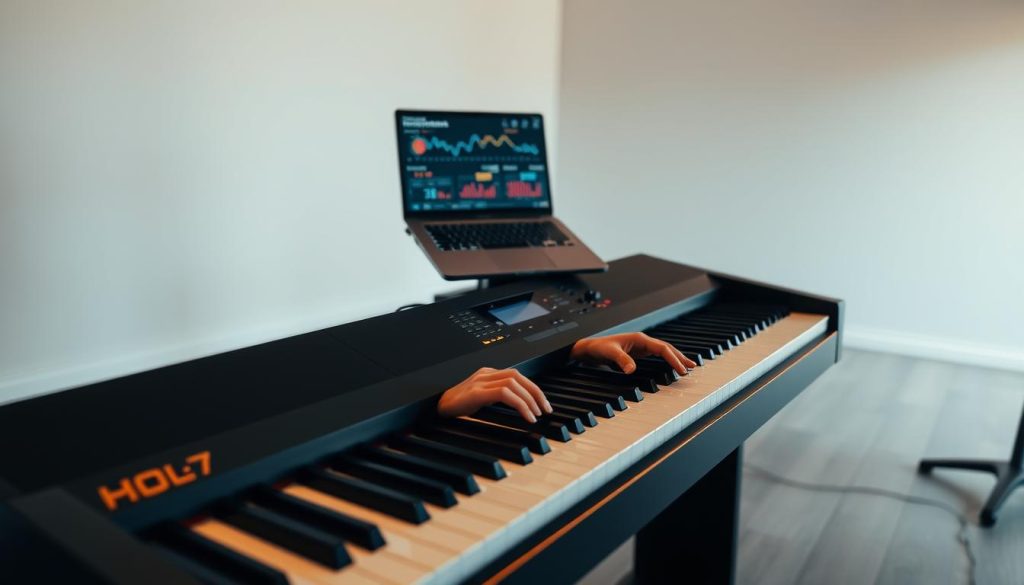
Method and criteria
Method: listening sessions with the instruments playing in unison, identical passages and simultaneous MIDI recording. Each model was tested for key feel, expressiveness and polyphony stability with the sustain pedal.
Criteria: key feel, expressiveness, ergonomics, pedal quality and built-in effects.
Notable results
The FP-10 and P-145 tied thanks to their good balance of key feel and sound. The NUX NPK-20 stands out as a fun option suited to pop and electronic styles.
Advice: compare these opinions with your actual studio needs before choosing.
| Criterion | Observation | Effect |
|---|---|---|
| Key feel | Comparable on the FP-10 and P-145 | Dynamic control |
| Polyphony | Stable with the sustain pedal | Fewer notes cutting out in the mix |
| Ergonomics | Navigation and pedals | Improved workflow |
“An auditorium test quickly reveals the true sound and build quality.”
Common buying mistakes to avoid
Before buying, first decide what matters most for your playing. Trying the keyboard action remains a priority: keys that feel too light can be discouraging and slow your progress.
Do not let a very low price persuade you if the product is closer to a synthesizer. Choose 88 keys and hammer action for a natural feel and good expressiveness.
Check the USB-MIDI connection and driver compatibility. An unstable interface causes latency and interruptions during recording.
- Avoid 61- or 76-key models if you want to perform complete piano pieces.
- Budget for the full setup: a quality pedal, stand and headphones matter as much as the instrument.
- Do not rely solely on marketing claims about polyphony: read independent tests.
“Making a good choice from the outset prevents expense and frustration.”
Pre-purchase checklist and first PC setup
A few simple checks can help ensure this purchase saves you time in the studio.
Before buying: check for 88 keys with hammer action, a USB-MIDI connection, and jack and headphone outputs.
Test compatibility with your DAW. On Windows, install ASIO drivers; on macOS, use Core Audio. These choices reduce latency.
Essential accessories: plan for closed-back headphones, a sustain pedal with half-pedaling support if needed, and a stable stand.
First setup: install the supplied drivers, connect the instrument via USB, then select it as a MIDI device in the DAW.
Set the buffer size between 64 and 128 samples and test a MIDI recording, followed by an audio recording while using headphones. Adjust gain and reverb to suit the project.
| Item | Check | Goal |
|---|---|---|
| Keys | 88 keys, hammer action | Expressiveness and access to the full repertoire |
| Connections | USB-MIDI, jack and headphone outputs | Reliable DAW integration |
| Drivers and settings | ASIO and a buffer of 64 to 128 samples | Lower recording latency |
| Accessories | Closed-back headphones, pedal, stand | Comfort and recording quality |
“Checking these points will save time and prevent unnecessary exchanges after your purchase.”
Conclusion
Remember the essentials: choose 88 keys with hammer action, a reliable USB-MIDI connection, manageable latency, closed-back headphones and a quality pedal.
Recommended models: the FP-10 and P-145 (around €400) for their excellent value, the NPK-20 for pop and electronic music, and alternatives such as the FP-30X, CDP-S110 or YDP-145 according to your budget and setup.
The advantages of a digital piano are clear: flexible use, silent practice, portability, controlled costs and access to effects libraries. Try the keyboard action and check your PC setup before making a final purchase.
Practical tip: a good piano properly connected to your PC speeds up creation and improves demo quality. See our digital piano comparison to narrow your choice.