
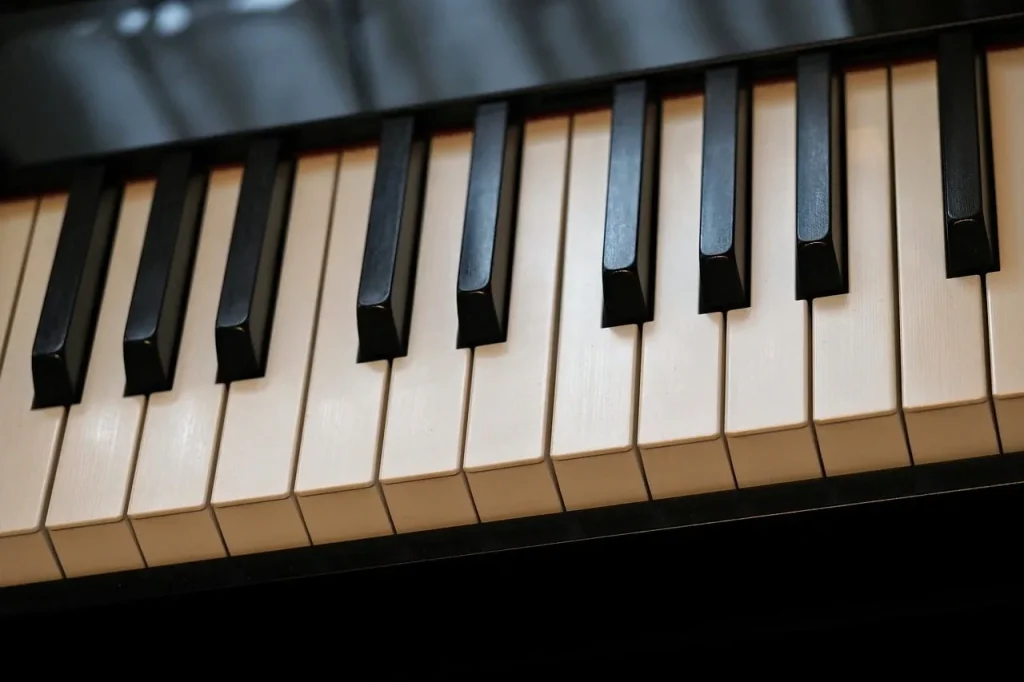
Practical guide for parents in France looking to make a safe choice. This article covers the key points to know before buying a digital piano suited to young beginners.
The right model combines a realistic feel, convincing sounds and learning features. Adjustable volume, a headphone jack and a built-in metronome make daily practice at home easier.
Established brands such as Yamaha, Roland, Kawai and Casio offer keyboards with graded hammer action. These keyboards support progress and make it easier to move to an acoustic piano later.
Quick tip: choose 88 keys for complete learning, although 61 or 76 keys may work depending on the child’s age and the space available. Also check the polyphony, recording function and built-in songs to help maintain motivation.
Buying in France today: how to choose with confidence
Before buying, decide how the instrument will be used. This initial choice makes it easier to select an instrument for exploration, regular lessons or intensive practice.
Assess the available space and the need for portability: a portable keyboard suits a bedroom, while a console model provides greater stability. Consider your budget and value for money as well: a modest investment may be enough at first, but plan for an instrument that will last.
A simple method: shortlist one or two models based on the child’s age and learning environment. Favor established brands (Yamaha, Roland, Casio, Kawai, Korg) for better after-sales support and fewer unpleasant surprises.
- Try the models in a store if possible.
- Read reliable technical reviews before deciding.
- Clarify the goal to reduce the risk of giving up.
| Criterion | Benefit | Effect on price |
|---|---|---|
| Size and portability | Suitable for a bedroom and easy to move | Low to moderate |
| Sounds and technology | Realism and learning modes | Moderate to high |
| Brand and after-sales service | Peace of mind and long-term support | Moderate |
| Budget and price | Balance between quality and lifespan | Variable |
If you are wondering how to choose in practice, first define how the instrument will be used, then compare and test one or two models. This makes it easier to choose a digital piano and avoid mistakes.
Why a digital piano suits children learning to play
A modern keyboard offers practical benefits for young learners. It combines convenience, volume control and learning tools designed to motivate them.
Versatility, adjustable volume and a headphone jack
Volume control and a headphone jack let a child play in the evening without disturbing the family. With good headphones, the child can hear every nuance and progress more quickly.
Built-in educational features
Features such as a metronome, built-in songs and a recorder make it possible to measure progress from week to week.
- Apps accessible through USB/MIDI or Bluetooth make practice interactive.
- Compact size and light weight make the instrument easier to set up in a bedroom.
- No tuning is needed, saving parents time and money.
Leading models (Yamaha, Roland, Kawai) offer a feel close to an acoustic piano and full-size keys. The available tones and sounds encourage creativity and make the transition to a traditional instrument easier.
Digital piano for children: important criteria
The key configuration directly affects the repertoire a child can play and the technique they develop.
Number of keys and size
88 keys remain the standard: they provide access to the full repertoire and avoid limiting learning in the medium term.
Models with 76 or 61 keys can work if the child is very young, space is limited or the keyboard needs to be transported often.
Feel and action
Avoid keyboards with keys that feel too light: they can hinder the development of good technique.
A semi-weighted feel may be enough at the very beginning, but weighted keys or graded action offer a real technical advantage.
Key sensitivity
Good sensitivity allows a player to explore dynamics from ppp to fff and avoid monotonous playing.
Try several models in a store to find the most comfortable feel and encourage long-term practice.
“A realistic feel makes you want to play longer.”
Sound quality and technology: what comes closest to an acoustic piano
Sound quality directly affects the enjoyment of playing and daily motivation. A realistic sound encourages a child to practice more often.

Sampling and modeling
Sampling uses recordings of a real instrument at several dynamic levels. It reproduces very natural tones at different intensities.
Modeling uses algorithms to recreate the piano’s physical behavior. In some registers, it provides smoother dynamics and a response closer to that of a piano.
Polyphony and dropped notes
Choose at least 64-note polyphony to prevent notes from cutting off when sustaining chords or using the pedal.
Amplification, speakers and effects
Check the power of the built-in speakers (for example, two 6 W to two 8 W speakers) to get clear sound at a low volume in a bedroom.
- Useful effects include reverb, chorus and delay. They enrich the sound without obscuring the main piano tone.
- Listen through headphones and the built-in speakers to assess the treble and the fullness of the bass.
Tip: compare several models by playing the same piece. Their technology and available sounds will quickly reveal which comes closest to an acoustic piano.
Features to prioritize for effective learning
Built-in tools help students structure their exercises and track their progress.
Metronome, songs and recording
The metronome keeps the tempo steady and gives each session structure. It helps develop consistency and precision.
Built-in songs provide reference points and guided lessons. They add variety and help maintain motivation.
A recorder or sequencer lets students listen back to their playing. They can then correct mistakes and measure their progress easily.
USB/MIDI and Bluetooth connectivity
USB/MIDI ports and Bluetooth provide access to educational apps and audio accompaniments.
These connections make it easier to transfer performances to software or a tablet. They expand the available learning resources.
Split, Dual, transposition and pedals
Split mode lets two people play together or separates the bass and melody.
Dual mode layers two tones, such as piano and strings, to enrich the sound.
Transposition makes it easier to accompany a singer without changing finger positions.
Invest in a quality sustain pedal from the start. A three-pedal unit on a console model reproduces the three traditional pedals.
| Feature | Purpose | When to use it | Effect on progress |
|---|---|---|---|
| Metronome | Keeps the tempo steady | Rhythm exercises and scales | Improves precision |
| Recorder and songs | Playback and progress tracking | Lesson review and self-assessment | Motivation and targeted corrections |
| USB/MIDI and Bluetooth | Connects to apps and audio | Interactive lessons and accompaniment | Access to more educational resources |
| Split, Dual, transposition and pedals | Flexible sound and adaptability | Duets, vocal accompaniment and sound textures | Varies exercises and enriches practice |
Choosing the right format: portable, console, stage or hybrid
The instrument’s format determines how it can be used, how much space it needs and the budget to allow.
Portable: flexibility, affordability and space savings
A portable model is light and compact. It sits on a separate stand and is easy to put away.
This format saves money and space, making it ideal for small homes.
Console: stability and a feel close to a traditional piano
A console model has an integrated three-pedal unit and more immersive amplification.
It feels closer to a traditional piano and helps establish a practice routine at home.
Stage and hybrid models: specific uses
A stage model has no built-in speakers and is designed for external amplification or studio use.
Hybrid models combine acoustic action and electronics. They are premium instruments, often too expensive for a beginner.
Practical choice: a portable model for flexibility, a console model for stability, or a stage or hybrid model for specific needs.
Consider travel to lessons or auditions before buying.
| Format | Main benefit | Typical use | Indicative budget |
|---|---|---|---|
| Portable | Mobility and savings | Bedrooms and small apartments | Entry to mid-range |
| Console | Stability and integrated pedals | Home and regular practice | Mid-range |
| Stage | Designed for amplification and performance | Rehearsals, concerts and studios | Mid to high-end |
| Hybrid | Exceptional feel | Studios, concert performers and schools | High-end |
To compare models and refine your choice, read our guide to choosing a digital piano.
Budget and value for money: where to invest
Knowing where to invest helps avoid regrets and points you toward the right equipment. Consider the total cost: instrument, stand, bench, pedal and headphones.
Up to €500: a straightforward start
Expect basic key action, modest amplification and limited connectivity. Examples in France include the Yamaha P-45, Casio CDP-S110 and Alesis Recital Pro.
From €500 to €1,000: more realistic action and useful connectivity
Expect action closer to an acoustic piano, better speakers and USB/Bluetooth. Examples include the Roland FP-10, Yamaha P-145 and Kawai ES-120. This price range often offers the best value for money.
From €1,000 to €1,500: immersive sound and more refined action
Expect a complete console, rich sound and greater longevity. Examples include the Yamaha YDP-145, Roland FP-30X and Kawai KDP-120. These models are easier to resell, reducing the total cost of ownership.
Practical tips: allow a little extra for accessories and watch for store bundles. The best value depends on whether the child is exploring music or progressing with a teacher.
| Price range | What to expect | Price guide (France) |
|---|---|---|
| Up to €500 | Simple key action, basic speakers, limited connectivity | €350 to €500 (instrument only) |
| €500 to €1,000 | Better action, Bluetooth/USB, more powerful speakers | €550 to €950 (accessories may be included) |
| €1,000 to €1,500 | Console, immersive sound, durability | €1,050 to €1,450 (bundles often available) |
“Mid-range models often offer the ideal balance between realistic key action and modern features.”
Age and child profile: matching the keyboard to the learning journey
Matching the instrument to a student’s age and needs supports progress and avoids hasty upgrades.
Ages 5 to 10: choose a compact, robust keyboard. Smaller hands may appreciate a lighter feel. A semi-weighted model is often suitable. A 76-key format is an excellent compromise when space is limited.
Preteens and teenagers: consider 88 weighted keys with hammer action. This choice avoids an early replacement and supports genuine technical progress.
A stable stand and sturdy cabinet reduce the risk of tipping and unwanted vibrations. Match the connectivity to the child’s needs: engaging apps for younger children and study software for older ones.
Practical tip: vary the tones and built-in songs to maintain motivation. Ask the teacher to assess the key action and format for the student’s level.

| Age | Recommended format | Main benefit |
|---|---|---|
| Ages 5 to 10 | 76 or 61 keys, compact format | Durability and accessible key action |
| Preteens and teenagers | 88 weighted keys | Lasting technical progress |
| All ages | Stable stand and connectivity | Safety and learning resources |
Established brands and reliable choices for children
Choosing an established brand makes it easier to find a durable, repairable instrument.
Yamaha, Roland, Casio and Kawai offer ranges suited to beginners in France. Their main series are P, Arius and Clavinova (Yamaha); FP, F and RD (Roland); CDP-S, Privia and Celviano (Casio); and ES, KDP and Novus (Kawai).
These manufacturers emphasize the quality of their key action and sound libraries. Technologies such as GHC, PHA-4 and advanced sampling provide a realistic response.
Practical benefits:
- Ranges for every budget, from portable models to immersive consoles.
- Built-in learning features and app connectivity.
- Established after-sales service networks and better resale prospects than generic models.
Compare models in the same range across brands to find the feel the child prefers. Trying them in a store remains the most reliable way to assess their feel and sound.
Recommended models: excellent starting points
These models are excellent starting points if you want a good balance of key action, sound and features. They meet different needs while remaining affordable.

Roland FP-10
Strength: very realistic PHA-4 key action and a SuperNATURAL sound engine.
The headphone jack makes quiet practice possible, and Bluetooth allows the use of learning apps. This model is often praised for its expressive sound and playing experience.
Yamaha P-145
Strength: GHC keyboard suited to smaller hands and sound inspired by the CFIIIS.
It includes a convenient metronome and a USB to Host connection. Its sound quality and feel make it popular with beginners who want more from their instrument.
Nux NPK-20
Strength: triple sensor, generous polyphony and a wide range of sounds.
Bluetooth MIDI/audio connectivity makes it an instrument that can grow with the player. It is a well-rounded choice if you want modern features at a modest price.
- Test each model through headphones and its built-in speakers to compare dynamics and resonance.
- Check availability, bundles (stand, pedal) and warranty terms with retailers in France.
| Model | Key action | Connectivity | Main benefit |
|---|---|---|---|
| Roland FP-10 | PHA-4 | Bluetooth, headphone jack | Expressive SuperNATURAL sound |
| Yamaha P-145 | GHC | USB to Host | Sounds inspired by the CFIIIS |
| Nux NPK-20 | Triple sensor | Bluetooth MIDI/audio | Wide range of sounds |
Comparing digital and acoustic pianos for a child
Considering practical and educational needs quickly clarifies the choice between an electronic and an acoustic instrument.
Practical benefits of a digital instrument:
- Portable and compact: easy to set up in a bedroom.
- Adjustable volume and headphone playing: ideal for an apartment without disturbing the family.
- Lower purchase and maintenance costs: no regular tuning required.
- Modern features: recorder, effects, connectivity and learning apps.
The lasting advantage of an acoustic instrument:
An acoustic instrument remains an educational reference point. Its musical character and keyboard mechanism provide a unique feel and an expressive range that is difficult to reproduce.
Maintenance, price, volume and room to grow
In short, a digital instrument makes daily practice and educational progress easier through its features. An acoustic instrument remains a benchmark for touch and sound.
| Criterion | Digital | Acoustic |
|---|---|---|
| Maintenance | Low cost, no tuning | Regular tuning and maintenance |
| Volume | Adjustable, headphones possible | Limited control, high sound level |
| Room to grow | Built-in learning features | Technical benchmark and expressiveness |
Conclusion: for a child, a digital instrument offers substantial convenience and room to grow without sacrificing the essentials of learning. Budget, space and the teacher’s advice can guide the final choice.
Ergonomics and design at home: fitting the instrument into a bedroom
Setting up the instrument in a bedroom requires attention to space, comfort and appearance.
Choose a load-bearing wall and avoid areas near radiators or windows exposed to moisture.
Portable models stay compact and are easy to move. Console models offer more stability and often include three pedals.
Posture and furniture: choose a sturdy stand and an adjustable bench. They support good posture and reduce fatigue during long sessions.
A discreet design and compact format help the instrument fit into a bedroom without crowding it.
- Use the headphone jack to play at any hour without disturbing others.
- Conceal and secure cables (USB, power and pedal) to improve safety and appearance.
- Provide good lighting and a music rest or tablet at eye level.
Tip: place the setup near a wall socket and leave a little free space behind the cabinet for ventilation and access to the connections.
Essential accessories for getting started
A suitable set of accessories supports good posture, comfort and reliable sound while playing.
Headphones, stand, bench and sustain pedal: comfort and posture
Headphones: choose closed-back headphones with a neutral sound. They help protect hearing and reproduce bass and treble faithfully. This helps the player hear mistakes and work on dynamics without disturbing the family.
Stand and bench: choose a stable X-style or dedicated stand suited to the keyboard’s weight. An adjustable bench supports proper hand position and reduces strain.
Sustain pedal: a sturdy pedal lets notes flow together. For a console model, choose a three-pedal unit for more complete use.
- Get a carrying case if the instrument will be moved.
- Provide a stable music rest and enough light to read sheet music.
- Set a realistic budget and favor durability over the lowest price.
“Good equipment prevents bad habits and makes daily practice more enjoyable.”
| Accessory | Purpose | Indicative budget |
|---|---|---|
| Closed-back headphones | Clear listening and hearing protection | €30 to €120 |
| X-style or dedicated stand | Stability and safety | €20 to €120 |
| Adjustable bench | Good posture and comfort | €30 to €150 |
| Sustain pedal or pedal unit | Connected notes, dynamics and expressive playing | €15 to €200 |
Room to grow and motivation: keeping the desire to play alive
Maintaining motivation calls for an instrument that supports progress and encourages creativity. Built-in features provide practical ways to renew a child’s interest.

Features that spark creativity: tones, recordings and apps
Current models offer a wide range of sounds (piano, electric piano, organ and strings). This variety invites children to explore different styles and keeps playing enjoyable.
The built-in recorder helps set goals and measure progress each month. Listening to their own pieces motivates students and makes targeted corrections easier.
- Encourage exploration of different tones while keeping piano sound central to practice.
- Use recordings to track learning and celebrate milestones.
- Add educational apps through USB/Bluetooth to make sessions interactive.
- Suggest small projects: accompany a song, create a loop or record a duet.
- Establish playful routines: rhythm challenges and listening games with the metronome.
Tip: a variety of tools builds a sense of achievement and encourages regular practice. Combine focused exercises with small creative challenges to keep children interested over the long term.
Mistakes to avoid when buying
Some technical choices can slow progress without it being obvious. Before buying, check a few simple but essential points.
Overlooking key action and sensitivity
Keys that feel too light can hinder the development of good technique. Test their sensitivity: they should allow dynamics from ppp to fff.
Tip: ask the child to play scales and crescendos to feel how the keys respond.
Choosing too few keys or overlooking connectivity
A 61-key keyboard soon limits the repertoire. If the child is committed, choose 76 or 88 keys.
Connectivity (USB/MIDI, Bluetooth) supports online lessons and learning apps. Do not overlook it.
Other common pitfalls
- Low polyphony: notes may cut off when the pedal is used.
- Unknown brand: less developed after-sales service and more difficult resale.
- Failing to check whether heavy key action suits the child’s hand size.
“A well-chosen instrument prevents frustration and supports progress.”
| Mistake | Consequence | What to check |
|---|---|---|
| Keys feel too light | Slower technical progress | Try the action in a store and ask the teacher’s opinion |
| 61 keys | Limited repertoire | Plan for 76 to 88 keys according to commitment |
| No connectivity | Reduced access to resources | Check for USB/MIDI or Bluetooth |
| Insufficient polyphony | Notes cut off with the pedal | At least 64 notes recommended |
To explore the decision further and learn how to choose before buying a digital piano, read our guides and try several models in a store.
Final checklist before buying: check the essentials before paying
To avoid regrets, check the essential features one last time.
Key points to check:
- Keys: choose 88 if possible; otherwise, match the choice to the child’s age and goals. Check the action (at least semi-weighted, ideally weighted or graded hammer action).
- Sensitivity: test the dynamic response to ensure expressive, precise playing.
- Polyphony and amplification: look for at least 64-note polyphony and clear sound at a low volume in a bedroom.
- Connectivity and features: check for USB/MIDI, Bluetooth, a metronome, a recorder, and Split and Dual modes.
- Accessories: include the stand, bench, pedal and headphones in the final price.
- After-sales service and warranty: check trade-in terms, parts availability and after-sales support in France.
Also assess the build quality and brand: a good balance of quality and price reduces long-term risks.
Conclusion
In summary: modern instruments offer an experience close to an acoustic piano while remaining practical for everyday use. They provide expressive key action, fine sensitivity, sufficient polyphony and useful connectivity.
Thanks to technological advances, a digital piano can effectively support the first years of learning. An ergonomic playing space and suitable accessories encourage regular practice.
The joy of music and sharing it with family help maintain motivation. Try several models and listen through headphones and their speakers before buying.
Tip: prioritize quality and reliability. A well-chosen instrument will provide lasting enjoyment and support progress.