
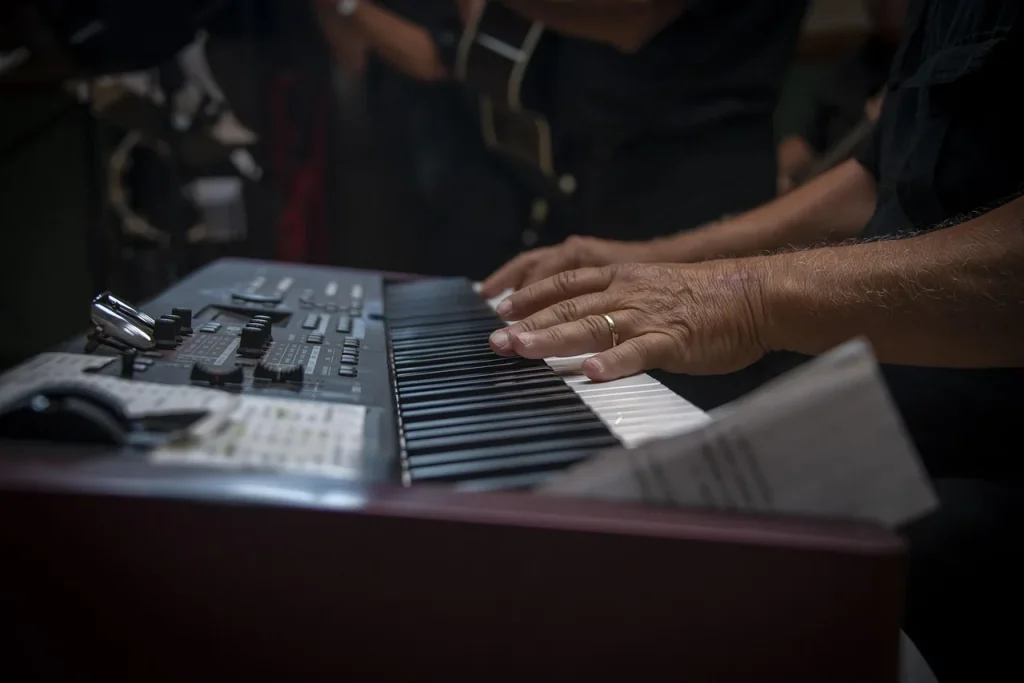
Polyphony is the number of voices your instrument can produce at the same time. This setting is more than a marketing term: it directly affects the sound in real playing situations.
Even though you have only ten fingers, playing also involves the sustain pedal, layering features, and recordings. These layers quickly increase the number of active notes.
With fewer than 64 voices, sustained notes may cut off, leaving audible gaps. For a beginner who does not use a sequencer, 64 voices may be enough. For more demanding use, 128 voices provide more room.
In this article, I offer a simple way to assess how much polyphony you need based on your level, playing styles, and goals. You will also find recommendations for different players and other criteria to help you make an informed choice.
Understanding the goal: making the most of polyphony today
An instrument’s ability to handle multiple voices changes how you play every day. It affects how realistic the sound is and the quality of transitions between chords.
In practical terms, polyphony determines whether notes keep sounding when you use the pedal or layer two tones. Too few voices cause notes to cut off; an adequate number lets them sustain naturally.
Consider three common uses: left-hand accompaniment with a right-hand melody and pedal, layering two sounds, and multitrack recording. Classical music can require more voices than pop or jazz, depending on how you play.
- Tip: leave some headroom: aim for slightly more voices than you expect to need.
- In a store, try sustained chords and layered sounds to hear the difference.
A simple definition of digital piano polyphony
Polyphony is the maximum number of voices an instrument can produce at the same time.
Each voice generally represents a note or a sound element. Thus, 128 voices means that up to 128 sounds can be active simultaneously.
Pressing several keys does not mean the same number of voices remains available: stereo samples, resonances, and layered sounds can use several voices per note.

Voices, notes, and keys: clearing up the terms
Notes: the sounds you hear when you press a key.
Voices: units managed by the sound engine; one note can use one or more voices.
Keys: the physical parts of the keyboard; you may press ten of them, but the engine can count many more voices.
Why ten fingers are not the whole story
The sustain pedal extends notes you have already played. Those notes continue to use voices while you play others.
Dual and layer modes, half-pedaling, and sympathetic resonances also increase voice use.
| Situation | Typical voice use | Impact |
|---|---|---|
| Chord + sustain | 6 to 20 voices | Longer sustain; notes may cut off if the voice count is low |
| Piano + strings layer | Twice as many voices | Rich texture, but high voice use |
| Half-pedaling and resonances | Additional partial voices | Greater realism and processing demands |
Polyphony and musical expression: why it matters to your playing
When you press the pedal, earlier notes remain active and continue to use resources. This creates a buildup of voices. It directly affects how smooth and continuous the sound is.
How the sustain pedal and half-pedaling affect the voice count
The pedal keeps notes active: every sustained chord uses voices while you play other notes.
Half-pedaling extends the sound to a lesser degree. It still increases the number of active voices and can quickly overload a limited sound engine.
Layered sounds, dual and layer modes, and sequencers: when voices add up
Activating a layer, such as piano + strings, often doubles the voices used by each key.
Adding a sequencer that plays an accompaniment creates even more simultaneous voices. The combined demand can cause notes to cut off if there are too few voices available.
Sounding like an acoustic piano: smoothness, resonance, and sustained notes
Higher polyphony preserves the ends of notes, sympathetic resonances, and harmonic richness.
The result is stable sustained chords, trills without notes dropping out, and a feel closer to an acoustic piano. Below 64 voices, sustain limits can quickly become audible and create gaps in the sound.
“Enough voices can make the difference between a clean sound and distracting notes cutting off.”
- Direct effect of the pedal: sustained chords + new notes = more voices used.
- Half-pedaling: partial sustain = more active voices.
- Layers and sequencers: voices add up, so allow some headroom.
Digital piano polyphony: what is it for? Choosing for your needs
How you use the instrument should guide your choice of voice count. Start by thinking about what you play and how your playing may develop.

Beginner playing at home
64 voices are often enough for lessons, exercises, and simple pieces.
For a beginner, learning touch and rhythm remains the priority. A budget model is often sufficient.
Intermediate: pop and jazz
128 voices give you more freedom when using the pedal, accompaniments, and some layered sounds.
This helps prevent notes from cutting off in fuller arrangements and leaves room to improve.
Advanced playing, classical music, recording, and performing
For demanding pianists, aim for 192 to 256 voices. This helps avoid limits in the studio or on stage.
Stage pianos often support 256 voices to keep notes sounding reliably.
- Home use: 64 to 128 voices cover most needs.
- Multitrack recording: at least 192 voices are recommended.
- On stage: 256 voices provide maximum headroom.
| Player profile | Recommended voice count | Why |
|---|---|---|
| Beginners and lessons | 64 | Enough for learning and playing simple pieces |
| Intermediate, pop, and jazz | 128 | Smoother playing with the pedal and layered sounds |
| Advanced, classical, studio, and stage | 192 to 256 | Preserves nuances and prevents notes from cutting off in complex passages |
Practical advice: think about your needs over the next few years. Choosing a model with a few extra voices can pay off over time.
To compare models for your needs, read a comprehensive guide to recommended digital pianos.
How to test polyphony in a store or at home
Before buying, test the instrument in conditions close to how you actually play.
Sustain test
Play a wide chord, hold the pedal down, and add notes in the middle and upper registers. Listen for notes that disappear abruptly.
If you hear notes cutting off, the available polyphony is probably insufficient for your needs.
Fast passages and trills
Play closely spaced arpeggios and trills at a fast tempo. Check that the sound remains continuous, without gaps between notes.
This shows how well the sound engine handles notes played in rapid succession.
Piano + strings layers
Turn on a piano + strings layer and repeat the same exercises. Voice use increases; listen to how long notes last and to the quality of the sound.
Also test at different volume levels and with half-pedaling: some notes cut off only under these conditions.
| Test | Procedure | What to listen for |
|---|---|---|
| Sustain | Hold a chord, keep the pedal down, and add high notes | Notes disappearing suddenly or ending prematurely |
| Fast passages | Trills and arpeggios at a fast tempo | Gaps in the sound or notes dropping out |
| Layering | Turn on piano + strings and repeat the tests | Loss of detail or reduced sustain |
| Volume and half-pedaling | Try different volume levels and use half-pedaling | Notes cutting off only in demanding situations |
- Use the same tests on several models to compare how their sound holds up over time.
- Write down your impressions immediately so you can make an objective choice.
Beyond the numbers: sound quality, keyboard feel, and features
An instrument’s richness depends as much on its samples as on how it responds to your fingers.
Sampling, modeling, and resonances strongly affect perceived quality. An engine that reproduces string resonances and physical response makes the sound feel more alive.
Two pianos with the same polyphony can sound very different if the samples are poor or the internal processing lacks refinement.

Keyboard feel and dynamic response
Keyboard feel shapes expressive control. A graded hammer action allows for finer nuances.
Dynamic response, meaning how the tone changes with playing velocity, is essential to expressive performance.
Connectivity and recording
USB, MIDI, and Bluetooth make recording and using learning apps easier.
They expand what you can do with the keyboard in a home studio and while learning. Always test the instrument through headphones and its built-in speakers.
“When choosing, rank your priorities: if you play expressively, give keyboard feel and dynamic response as much attention as the voice count.”
| Criterion | Impact | Advice |
|---|---|---|
| Sampling and modeling | Determine the tone and richness of the sound | Favor samples recorded at several dynamic levels |
| Keyboard feel | Expressive control and nuance | Try different keyboards in a store |
| Connectivity | Compatibility with studio equipment and apps | Check USB, MIDI, and Bluetooth against your needs |
Example models by budget and polyphony needs
Choosing an instrument starts with comparing representative models at each price level. Here are some options by use and price.
Entry level, 64 voices
Yamaha P-45 and Casio CDP-S100 and CDP-S110 offer excellent value for money.
They suit beginners learning and practicing every day.

Midrange, 128 voices
Casio CDP-S360 is portable and versatile. It offers more sounds for exploring different styles and composing.
High end, 128 to 256 voices and beyond
Roland FP-30, with around 128 voices, and FP-30X, with 256 voices, offer better keyboard feel and connectivity.
The Yamaha P-515 is aimed at demanding pianists, with 256 voices and premium sounds.
Professional stage use
Kawai MP11SE is designed for the stage. Its advanced voice handling is often described as “unlimited.”
It is suited to multitrack recording and live performance.
Tip: compare each model through headphones and external amplification to judge its voice capacity and sound reproduction.
What modern pianos actually do: voice management and technology
Modern instruments allocate sound resources in real time to maintain continuity when several layers are combined and the pedal is used.
Management algorithms: when the engine reaches its limit, the system often gives priority to lower notes.
This priority preserves the harmonic foundation and prevents bass notes from disappearing while sustain is active.
Dynamic allocation and prioritization
The engine assesses which voices to keep and which to shorten according to their musical importance.
It may slightly shorten a barely audible sound to preserve the overall sustain.
Technical progress: from 32 voices to systems described as “unlimited”
Advances in processors, memory, and sample storage have increased the number of voices an instrument can handle.
“Unlimited polyphony” often describes adaptive management that minimizes notes cutting off, though hardware limits may remain.
“Two instruments with the same listed voice count can sound very different because of their algorithms.”
| Element | Role | Impact |
|---|---|---|
| Priority for lower notes | Maintain the harmonic foundation | More stable chords and a stronger bass presence |
| Dynamic allocation | Decide which voices to keep | Fewer notes cutting off in dense passages |
| Hardware resources | Processor, memory, and storage | Allow more samples and real-time processing |
In practice: listen to and compare digital pianos with the same listed voice count. How they behave during actual playing reveals the quality of their sound engines.
Conclusion
Conclusion
Voice management determines how long notes sustain and makes a real difference when you use the sustain pedal, layers, or a sequencer.
In short: 64 voices are often enough for beginners at home, 128 provide more freedom for pop and jazz, and 192 to 256 give you headroom for recording and performing.
The choice involves more than the voice count. Keyboard feel, sound quality, and sampling strongly affect the final result. Test fast passages, sustained chords, and layered sounds to hear the difference.
Favor a model with a little voice headroom. Compare several digital pianos and trust your ears: a good fit between polyphony, keyboard, and budget will give you an instrument you enjoy playing.